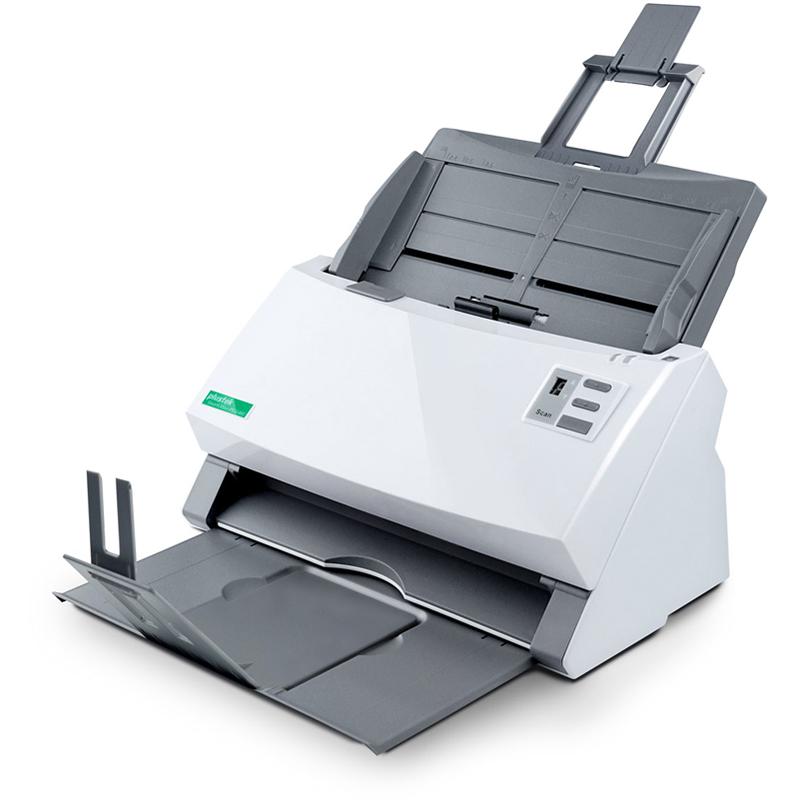
Mixed Documents & Multiple Card Feeding
Multi-feed paper detection provides you with the most reliable user experience, this technology can prevent you from having to re-scan.
Can scan batch documents of the same applicant without sorting them to help you work more efficient and effective.
Image Enhancement Technology
Automatically optimize the image by concentrating the dark colour, enhancing the bright background and allocating the colour distribution. You don’t need to spend time adjusting IP or learning.
Enhanced Paper Feeding
With optimized Friction Roller system with advanced composite material, this technology helps the paper feeding process become more smooth and reliable. This not only minimizes the feeding errors, but also help you efficiently finish the process of digitizing documents.
Multi-feeding Detection
Multi-feed paper detection provides you with the most reliable user experience, this technology can prevent you from having to re-scan.
Automate Your Scanning Workflow – One Button Is All It Takes
With Plustek’s in-house button management software, you can scan, process, and save in one click—no need to switch between different programs.
- Advanced Image Enhancement
Auto deskew, crop, and blank page removal for clean, ready-to-use files.
- Includes Smart Text Recognition
Comes with OCR capability to convert scans into searchable PDFs or editable Word and Excel documents.
- Flexible Save Options
Save your scanned documents to local folders, network drives, FTP servers, or send them directly via email as attachments. You can also save to folders that sync with cloud services, helping you keep files organized and accessible — all without extra steps.
- Fully Customizable Buttons
Configure each scan button to match your daily routine and workflow needs.
Built-in Plustek OCR [1]
Convert by performing optical character recognition on scan images and transform them into searchable or editable formats including Microsoft® Word, Excel®, or searchable PDFs directly.
(Plustek OCR for Windows, Plustek DocOCR for Mac)
Easy Access to Software
Compatible with most software applications with the compatibility to scan and integrate to existing platform via industry standard TWAIN & WIA.
Real Application - Government
- Ministry of Labour and Social Affairs
As the supreme military command authority worldwide, every tasks and responsibility requires instant and accurate tactics and reports.
With PS3140U, this not only assists you to archive the documents, but also syncs your files to a chosen folder. The traditional way of scanning documents is no longer suitable for fast archiving and data application.
- Ministry of Finance
As the most important and decision-making department for all aspects of national fiscal and tax policy. The main objective is analyzing the economic trends and government finances in order to plan and prepare the government's budget and financial plan. With the advanced solution from Plustek, SmartOffice PS3140U embedded with OCR function, you don't need to spend time finding your documents.
- Ministry of Foreign Affairs
The department needs to handle more than just political contacts nowadays due to the growing international network globally.
The PS3140U can scan ID cards, application form, and all different kinds of the document at the same time.
- Ministry of Labour and Social Affairs
In order to monitor the labor market and social security, there must be a lot of daily news and paperwork that needs to be implemented to their own information system.
With the SmartOffice PS3140U, you can easily sync your paperwork to related destinations, and can always provide the most up-to-date information on your website and database.
Real Application - Accounting
- Department of Accounting
Easy to use and flexible
At the touch of a button, you can save a document to any one of up to nine different destinations including: folders on your PC or network, email, FTP or even your printer.
Search your document instantly!
Searchable PDF files make your information easy to find and share. Any desktop search software can be used to quickly locate searchable PDF documents by searching by client name, tax ID number or any data on your paper documents.
[1] Plustek is registered trademarks of Plustek.
ABBYY™ FineReader™ © ABBYY. OCR by ABBYY. ABBYY and FineReader are trademarks of ABBYY Software, Ltd. which may be registered in some jurisdictions. Any other products or company names appearing in this document are the trademarks orregistered trademarks of the respective companies.