
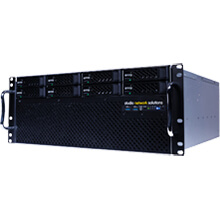
SNS EVO 8 Bay
Download Images (.zip file)
ProdCode: SNSE8BSD96T210C
Shared storage video editing server for digital media workflow - 4U Short Depth 8 Bay, 96 TB HDD, 2x1Gb Ethernet, 2 x 10 GbE Copper
Features
A fully configured EVO 8 Bay system expands to a total of 24 disks and up to 18 clients without an Ethernet switch.
- Shared storage video editing server for digital media workflow
- Complete, networked, high-performance shared storage workflow servers
- Medium workgroup, up to 336TB
- Add up to eight drives (HDD or SSD) in EVO Base
- Add an EVO Expansion Unit for a total of 336TB per node
- Increase Ethernet ports for a total of 18 GbE ports
- Add multiple 10/25/50/100Gb Ethernet ports
- EVO OS on a 64-bit, multi-core CPU, 2U storage server
- 8 x SATA/SAS drive bays
- Unlimited licenses of EVO suite (ShareBrowser MAM, Nomad remote tools, Slingshot)
- 650W Redundant Power Supply
With this EVO, you can:
- Add up to eight drives (HDD or SSD) in EVO Base
- Add an EVO Expansion Unit for a total of 336TB per node
- Increase Ethernet ports for a total of 18 GbE ports
- Add multiple 10/25/50/100Gb Ethernet ports
Quick specs:
- EVO OS on a 64-bit, multi-core CPU, 2U storage server
- 8 x SATA/SAS drive bays
- Unlimited licenses of EVO suite (ShareBrowser MAM, Nomad remote tools, Slingshot)
- 650W Redundant Power Supply
Base Chassis Physical and Electrical
- 64-bit, multi-core CPU, 2U storage server
- Power Requirement: 100-240VAC 47-63Hz (auto switching)
- Power Supply: 650W Redundant (2 650W modules)
- Maximum Load: 9-4A
- Operational environment: 40 to 72°F (5 to 22°C)
- Thermal: ~785 BTU/hr
- Physical dimensions: Length 28.5″ (32″ w/ cables) x Width 17″ x Height 3.625″
- Shipping dimensions: Length 37″ x Width 24″ x Height 13″ (90lbs loaded)
- Height Requirements: 2U
- SPL: Base chassis with 8 disk drives, at idle, < 60db SPL @ 1m, A-weighted
Rack Requirements
- EIA-310 rack, 4-post with front and rear rails
- Included Mounting rails
- 0.625″ pitch, round hole (square hole compatible)
- Inner-rail to inner-rail depth: 25.75″ to 32.25″ (65.4cm – 81.9cm)
- Rear-rail mount can be flipped to fit a minimum depth of 18.5″, with 7.25″ of rail overhang.
Expansion Chassis Physical and Electrical
- Power Requirement: 100-240VAC 50-60Hz (auto switching)
- Power Supply: 720W Redundant (2 720W modules)
- Maximum Load: 10-5A
- Operational environment: 40 to 72°F (5 to 22°C)
- Thermal: ~785 BTU/hr
- Physical dimensions: Length 24.25″ (27.75″ w/ cables) x Width 17″ x Height 5.25″ (19″ rack)
- Shipping dimensions: Length 32.5″ x Width 23″ x Height 12″ (100lbs loaded)
- Height Requirements: 3U
Connectivity and Expansion
- Included ShareBrowser, Nomad, Slingshot: Unlimited
- Included GbE Ports: 2
- Maximum GbE Ports: 18
- Maximum 10GbE Base-T Ports: 4
- Maximum 10GbE Optical Ports: 4
- Maximum 25GbE Optical Ports: 4
- Maximum 50GbE Optical Ports: 2
- Maximum 100GbE Optical Ports: 1
- Maximum SATA or SAS Disks (base unit): 8
- Maximum Disks per System: 24
Supported RAID Levels
Available Drives
- SSD: ~1TB, ~2TB, ~4TB, ~8TB (Enterprise-class RAID-edition 6Gbps SATA)
- HDD: 4TB, 6TB, 8TB, 10TB, 12TB, 14TB (Enterprise-class RAID-edition 6Gbps SATA)
- 12Gbps SAS drives also available
EVO is a shared storage video editing server for demanding digital media workflows requiring leading professional applications.
- Performance
High throughput, with overhead for the most demanding projects and 8K video workloads
- Workflow
Project and media sharing, with asset management included
- Connectivity
Integrated and reliable solutions for all of your on-site, remote, and freelance users
- Expansion
Ready for more capacity and users as your organization grow
Media management
EVO includes NLE integration and helpful workflow features for teams that need to create, store, share, and organize media and projects.
Includes ShareBrowser
An easy-to-use media manager
If you need shared storage, sooner or later your team will want a better way to organize and find everything that’s on it.
ShareBrowser is easy-to-use asset management software by SNS. It’s included with EVO purely to help media teams work and collaborate more efficiently. Its shared database lives on your EVO and enables your team to search, preview proxies, collaborate, add tags and time-based comments, export to NLE, and more.
ShareBrowser is the face of EVO, and every feature in it is created from feedback straight from teams like yours. It’s a better way to use shared storage, period.
Workflow
- Adobe Premiere Pro
Get the most integrated shared storage experience with Adobe Premiere Pro. Seamlessly share projects and media, preview footage, add tags and comments to a shared database, import clips and metadata, and more. All without leaving your timeline.
- Avid bin and project sharing
Use Avid’s native Project and Bin sharing functions! EVO unlocks the sharing capabilities of Media Composer—with several editors in the same Avid project, teams can easily collaborate by using shared bins, exchanging access to media and sequences directly within Media Composer.
- DaVinci Resolve
Take full advantage of game-changing collaboration features by hosting your Resolve database on EVO. Solutions for editing, VFX, color grading, and more.
- Final Cut Pro
EVO is the best way to use Final Cut Pro X in a collaborative workflow. Securely share libraries and get the most out of FCPX’s powerful metadata features with integrated notes and keyword collections that help to finish edits faster.
- Sharing and collaboration
EVO provides high-performance multi-user write/read workspaces for instantly sharing projects, bins, and media over a high-speed network. Edit in place, eliminate unnecessary copies and file transfers, and use ShareBrowser to organize media and collaborate with your team.
- Automations GUI and API
EVO’s automations features (aka Slingshot) let you transcode and create other automated file-based workflows spanning EVO, other storage systems, and supported cloud services. Slingshot can boost productivity by automating repetitive file management tasks, leaving more valuable time to do creative work.
On-site connectivity & remote workflow
Up to 100 Gigabit Ethernet
EVO gives you the capability to have multiple 1, 10, 25, 50, and 100GbE ports, which you can mix and configure for your requirements.
Your workstations connect straight into any of these ports—you don’t even need an Ethernet switch (unless you prefer it).
In most cases there are no special software install requirements… users simply connect to the network and login to EVO.
Simple, right?
Remote workflow
Not just for on-site teams! Nomad—one of the many features included with EVO—and SNS Cloud VPN enable work-from-anywhere continuity for your remote users and freelancers.
Performance
EVO is designed and built for digital artists.
You use applications like Avid Media Composer, Adobe CC/Premiere Pro, DaVinci Resolve, and Final Cut Pro. These apps can have extraordinary I/O requirements, so EVO is tuned to give them exactly what they want, right out of the box.
Advanced caching algorithms help to make EVO capable of handling more video streams per array than most shared storage systems. This means you can do more work with a fewer number of disks, which results in a less expensive, more reliable, energy conscious storage solution.
Read how EVO performs at Dale Earnhardt Jr.’s Hammerhead Entertainment.
EVO suite included
Every system includes ShareBrowser, Nomad, and Slingshot.
Proxy generation
Your team’s source files can be automatically transcoded as they are added to EVO’s ShareBrowser database, giving you lightweight proxy files (including Apple-certified ProRes) that can be used for things like previewing offline media and offline editing.
Compatibility
- Professional Media Applications
EVO is designed and built for professional media editing and post-production applications like Final Cut Pro, Avid Media Composer, CC/Premiere Pro, Resolve, Smoke, Scratch, and Pro Tools. In fact, it can be used with any application, but its prime directive is to handle the intense demands of video and audio editing, in real-time, by many concurrent users.
- Mac, Windows and Linux
EVO supports Mac and Windows. It can also be used with Linux-based operating systems like RHEL and CentOS. Essentially, any operating system that supports common network protocols may be used with EVO.
Networking
- NIC Recommmendations
EVO supports a variety of adapters for Windows, macOS, and Linux. For 10GbE: ATTO, Myricom, Solarflare, or Sonnet adapters are recommended. For 25GbE, 50GbE, and 100GbE: Mellanox, ATTO, or Chelsio adapters are recommended.
- Switch Recommendations
Arista, Cisco, Mellanox, and Netgear switches are recommended for use with EVO.
Cloud integration
Configure your system to automatically push data to your cloud storage accounts, using services like Amazon S3, Dropbox, Azure, and more.
Anti-delete protection
Somebody accidentally trashed something important? No problem. With EVO’s recycle bin you can easily restore deleted files, and you can schedule when the trash should be taken out for good.
You can even go a step further with EVO’s “reject delete” feature, which simply locks down and prevents users from deleting files!
Expansion
Direct-connect Ethernet ports
Up to 26 Ethernet ports are available, giving you an easy and inexpensive way to quickly add more computers to the storage system. You can also choose to add up to 100GbE ports for maximum bandwidth.
Enterprise class HDD and SSD
You can start with as few as four drives (HDD or SSD), then add up to a total of 16 in the base unit. Expansion units can bring the total number of disks per managed system to 80. As you add capacity, you can also increase the system’s overall capability. An unlimited number of base/expansion nodes can be integrated into a facility.
Users (no per-seat software licensing)
Up to 26 users (workstations, notebooks, servers) can be direct-attached through EVO’s network ports. If you need to support more, any available Ethernet port can be connected to a switch. And with EVO, there are no per-user software licensing costs to worry about as your team grows.
Volume growth
Your company is growing faster than expected, and you’re running out of space. What now? Increase capacity by phasing in larger disks or adding more drives to your existing storage pools.
Need nearline?
EVO is also available in a Nearline version, capable of clustered operation and scalability to multiple petabytes in a single namespace.
Pairing your main EVO with a companion EVO Nearline system is an easy, effective, and economical way to set up tiered storage for your workflow.
Administration & security
Web-based admin tools
Configuring and managing a storage system doesn’t have to be complicated. Much attention is given to EVO’s user interface design to make it both attractive and intuitive. The result is a very functional and helpful administration tool, with features ranging from the very basic to the very advanced. And since it’s web-based, it can be administered from just about anywhere.
AD/LDAP
EVO can connect to a remote authentication server (Active Directory or LDAP) to get user names and groups. You can then assign permissions to EVO resources based on these accounts and groups for easier management.
Software upgrades
Each new version of the EVO OS brings useful improvements and new features. With most other storage systems, once you own that box its capabilities aren’t going to change much, except for the occasional firmware upgrade. With EVO, you have an investment in an efficient and flexible storage server that can actually improve its tool set and usefulness over time.
Activity auditing
EVO can be enabled to automatically capture the who, what, when, and where, giving you advanced, configurable, and highly detailed activity logging of users and files.
Replication, backup, archive
Automatically sync, copy, and backup your shares, folders, and files to other on-site systems and cloud services including S3, Azure, and Dropbox. Replication can be run on-demand, or as scheduled incremental sync/copy jobs, with the ability to define start and pause times. You can also configure EVO’s ShareBrowser software to work with archive systems for cataloguing, sending, and restoring on-demand.
More features
- Secondary Admin Roles
Not ready to hand full administrative rights over to someone else on the team? EVO allows you to designate a secondary administrator with a limited scope of admin functions, such as creating new shared workspaces and managing permissions.
- Drive Replacement Assistance
Only the highest quality, enterprise-class, RAID-edition SATA (or SAS) disks are used in EVO. However uncommon, disks fail… it’s an unfortunate reality. EVO can send an email to alert you in the rare event of a drive failure—you can then do a hot swap to replace it with a new one. Not sure how to do a replacement? Step-by-step instructions are conveniently displayed in the web interface.
- Email/SNMP remote monitoring
Select which events are important and monitor them via SNMP, or tell EVO to send an email or text message if it detects something noteworthy happening.
- UPS monitoring
Protect your storage by connecting it to an APC Uninterruptible Power Supply. You’ll be able to easily configure and monitor the UPS through EVO’s web interface. If there’s a power problem detected, EVO can notify you by email and gracefully power itself off if necessary.
In the box:
- EVO 8 Bay Base System: 4U
- 16" Short Depth for AV
- 64bit Multi-core CPU
- 8 SATA Bay
- Redundant Power Supply
- 96 TB RAW (8 x 10TB SATA 6Gb/s)
- 2 x Gbe Ports (iSCSI/NAS)
- 2 x 10GbE Copper
- Asset Management
- Cloud Access
- Avid Project/Bin Sharing
- Adobe and Apple Project Sharing
- File/Volume Sharing
- NAS (AFP/SMB/NFS/SFTP) and SAN in the same box. No Per Seat License Fees
- Unlimited ShareBrowser Desktop Client
- SANmp and globalSAN
- Lifetime Qcomplete Basic Level Support Included. 1 Yr Hardware Maintenance.